How to Build a Restaurant Waste Log That Cuts Costs
A restaurant waste log turns invisible food loss into actionable data. Here's how to build one, track it consistently, and use it to meaningfully reduce your food cost.
How to Build a Restaurant Waste Log That Cuts Costs
A restaurant waste log is the simplest tool most operators aren't using to control food costs. Without one, food waste is invisible — it disappears into the trash and shows up as a bad food cost percentage at month-end. With one, you can identify exactly what's being wasted, why, and what to do about it.
Why Food Waste Is So Expensive (and So Hidden)
Food waste in the restaurant industry is estimated at 4–10% of food purchased before it even reaches a plate. For a restaurant doing $500,000 in annual food purchases, that's $20,000–$50,000 walking out the door.
The problem is that waste is diffuse. A burned batch of stock here, a prep error there, a few portions of fish that didn't sell before their window closed. No single incident looks catastrophic, so the habit never gets addressed. A waste log makes the invisible visible.
What to Track in Your Waste Log
Every waste entry should capture:
| Field | What to Record |
|---|---|
| Date | When the waste occurred |
| Item | What was wasted — be specific: "salmon fillet 6oz" not just "fish" |
| Quantity | How much (weight or units) |
| Reason | Why it was wasted (see codes below) |
| Cost | Value of the waste (quantity × recipe cost per unit) |
| Station | Who/where it happened (prep, line, expo) |
Waste Reason Codes
Standardize your reasons with short codes so staff fill it in quickly:
- BURN — Overcooked or burned
- DROP — Dropped on floor
- SPOIL — Expired or spoiled before use
- OVER-PREP — Prepped too much, didn't use
- VOID — Customer sent back, not resalable
- TRIM — Fabrication waste (expected loss from butchering)
- EXPIRE — Passed date, never prepped
TRIM is normal. OVER-PREP and SPOIL are the ones you want to minimize — they represent planning and purchasing failures.
How to Set Up the Log
Option 1: Paper Log
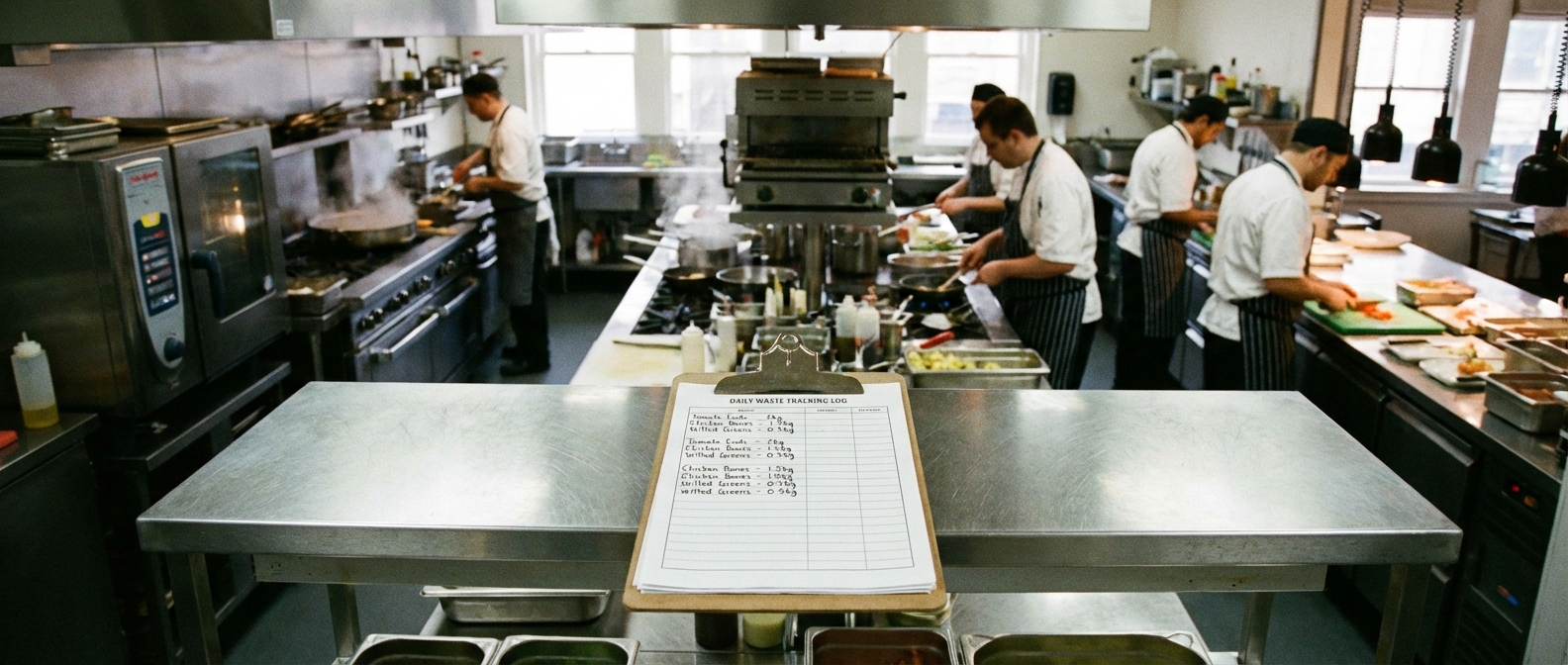
Mount a clipboard near the garbage or at the pass with a pre-printed form. Every time something above a threshold (say, $2 in cost) gets thrown away, it gets logged.
Pros: Zero setup, immediate
Cons: Data is hard to analyze, easy to skip on busy nights
Option 2: Digital Spreadsheet
A shared Google Sheet with the columns above. Staff log from a kitchen tablet.
Pros: Data is searchable, can generate weekly summaries
Cons: Requires a kitchen tablet or shared device
Option 3: Integrated with Inventory Software
Tools like MarketMan, Restaurant365, or xtraCHEF have built-in waste tracking tied to your recipe cost database. Enter the waste, and it automatically calculates dollar value.
Pros: Most accurate, least manual calculation
Cons: Requires existing software investment
Making the Waste Log a Habit
The biggest failure mode is inconsistency. Tips:
- Make it part of close-out — last thing before clocking out
- Keep it fast — 60 seconds or less to log
- Don't use it punitively — if staff feel logging gets them in trouble, they'll stop
- Review it publicly — brief weekly mention in pre-shift: "We wasted $140 of protein last week, mostly over-prep on Monday. Let's watch that."
Using Waste Log Data to Cut Costs
Weekly Review: Spot Immediate Fixes
Every Monday, pull the prior week's totals:
- What were the top 3 items by cost?
- What were the top 3 reasons?
- Was there a specific shift, station, or day that skewed waste up?
Monthly Review: Identify Patterns
After 4–6 weeks of data:
- Are certain proteins or produce items consistently appearing?
- Is OVER-PREP recurring on specific menu items?
- Are there recurring SPOIL entries suggesting over-ordering?
Common fixes from waste log analysis:
- Reduce par levels on slow-moving proteins
- Adjust prep quantities by day of week (prep less on Tuesday than Friday)
- Menu changes — remove items with consistently high waste rates
- Training on butchering yield if TRIM percentages are higher than expected
Calculating Your Waste Percentage
Waste % = Total Waste Cost ÷ Total Food Sales
Target: under 2–3%. Industry average without formal tracking runs 4–8%. Introducing a waste log typically reduces waste 15–30% within 60 days — awareness alone changes behavior.
Frequently Asked Questions
What's a realistic food waste reduction goal?
Most restaurants implementing a waste log for the first time see 15–25% reduction in tracked waste within 60–90 days, mostly from reducing OVER-PREP and SPOIL events.
Should I include trim waste in my waste log?
Yes — but track it separately. Trim waste is expected and doesn't represent a problem. Separate tracking keeps your analysis clean.
How do I get kitchen staff to actually use the waste log?
Three things: make it fast (under 60 seconds), make it non-punitive, and close the feedback loop. Staff who see their logging led to a change are more likely to keep doing it.
What's the minimum threshold for logging waste?
Set a dollar threshold based on your portion costs. For most restaurants, anything above $2–$3 in cost value is worth logging. A dropped steak at $10–$15 is always worth logging.
How does a waste log connect to my food cost calculation?
Waste is captured in your food cost through ending inventory — wasted food shows up as "used" product that didn't generate revenue. The waste log gives visibility into where that gap is occurring, which inventory counts alone can't tell you.
Ready to take control of your food costs? Try CostLab free for 14 days →
Track Food Cost on Every Dish — Automatically
CostLab.AI calculates food cost percentage in real time. Update one ingredient price and see the impact across your entire menu instantly.
Start Free Trial →